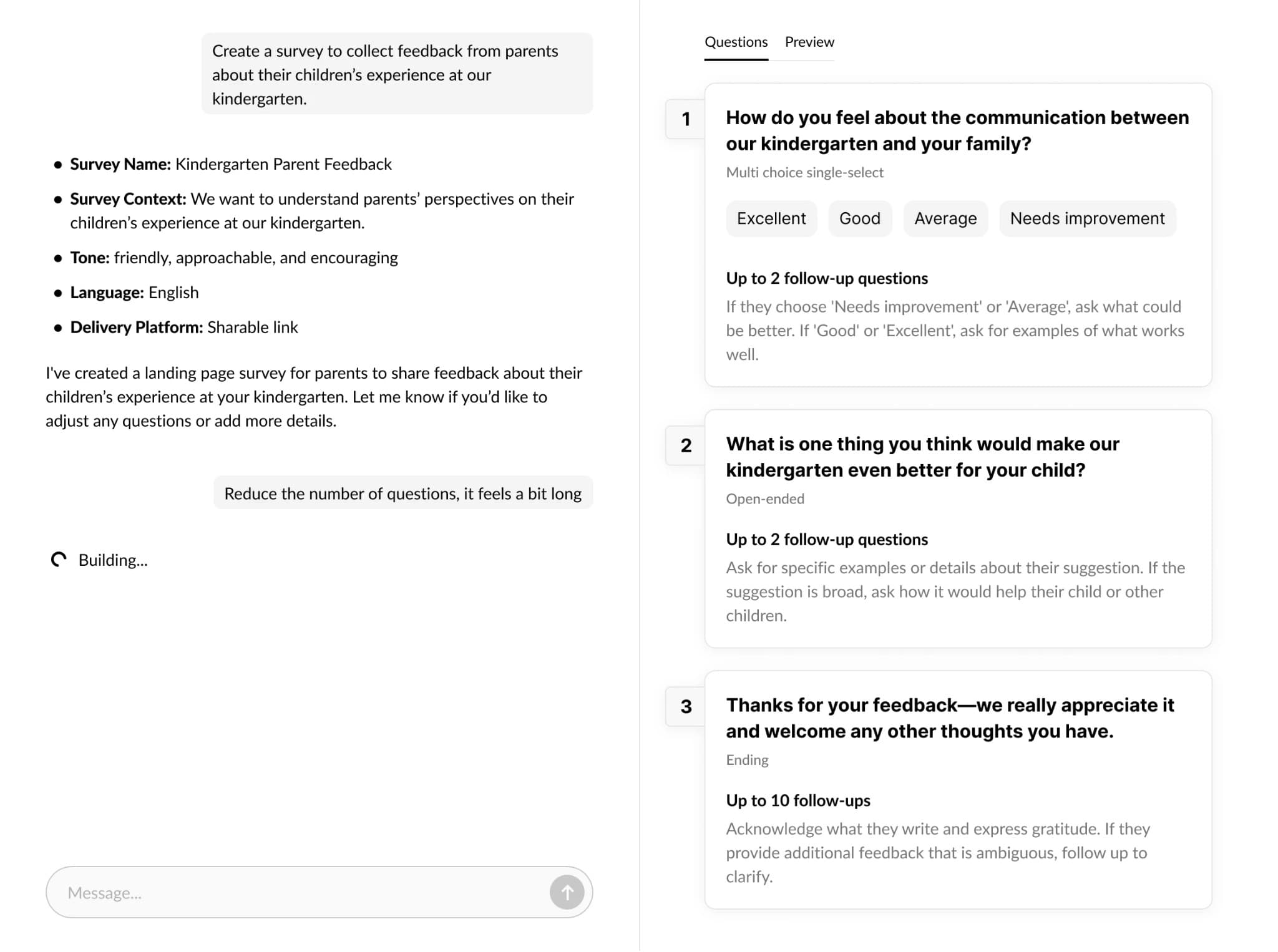
Make a survey with AI
Create conversational surveys by chatting with AI.
What is a conversational survey?
A conversational survey replaces traditional forms with natural, chat-like interactions. Using AI, it dynamically asks follow-up questions based on responses, clarifies answers, and explores insights in real-time. This approach feels like talking to a researcher rather than filling out a form, resulting in higher engagement and richer feedback that static surveys typically miss.
Example surveys
Start broad, then narrow down. Each filter is compact by default so you can scan quickly without scrolling through every option.
Audiences
All audiencesTopics
All topicsMatching survey examples
30 resultsStudent survey about work-study experience
Elementary School Student survey about reading time
Parent survey about extracurricular activities
Teacher survey about transportation
Employee survey about teacher communication
Patient survey about data-driven instruction
Event Attendee survey about motivation to learn
SaaS Customer survey about accessibility services
Advantages of AI Survey Generator
Creating a truly high-quality survey takes expertise—it's not something just anyone can do well. With our survey generator, you simply describe what you need, and AI instantly builds a professional survey with expert-level questions.
From first answer to the truth behind it.
Let the AI interview your users like a sharp product researcher with automated follow-up questions. It probes, clarifies, and goes deeper—automatically—so you get rich context without writing a hundred branches.
Learn more →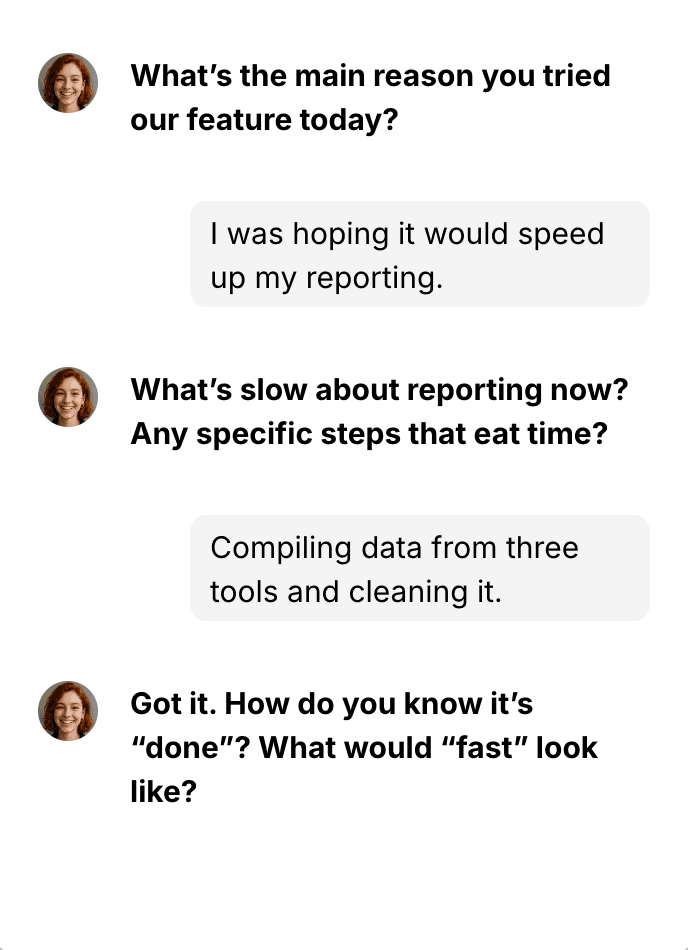
Talk to your survey responses. It talks back.
Ask plain-English questions about your survey replies and get instant, sourced answers—like ChatGPT with your users' full context. Find themes, outliers, quotes, or segments in seconds.
Learn more →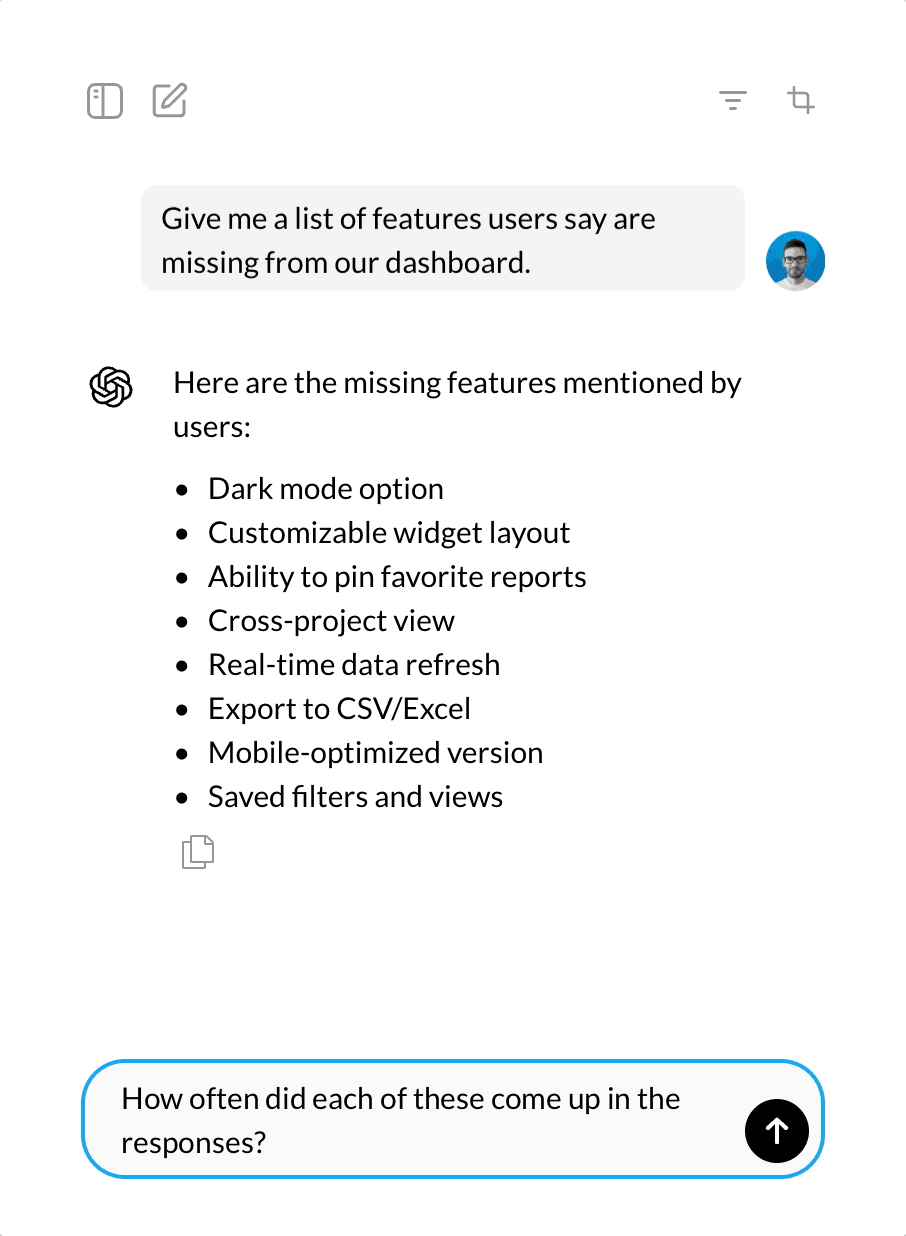
Build a survey in seconds.
Building surveys shouldn't suck. Tell the AI what you need—or paste raw text—and it drafts questions, choices, and smart follow-ups in seconds. You stay in control of the outline and tone.
Try the editor